SnapGlyph MCP
The SnapGlyph MCP Server connects AI clients like Claude straight to your account. Ask for a tracked QR code or a branded short link in plain language and get a real, working result without ever leaving the chat.
Available on Pro, Growth, and Max. 14-day free trial, no credit card required.
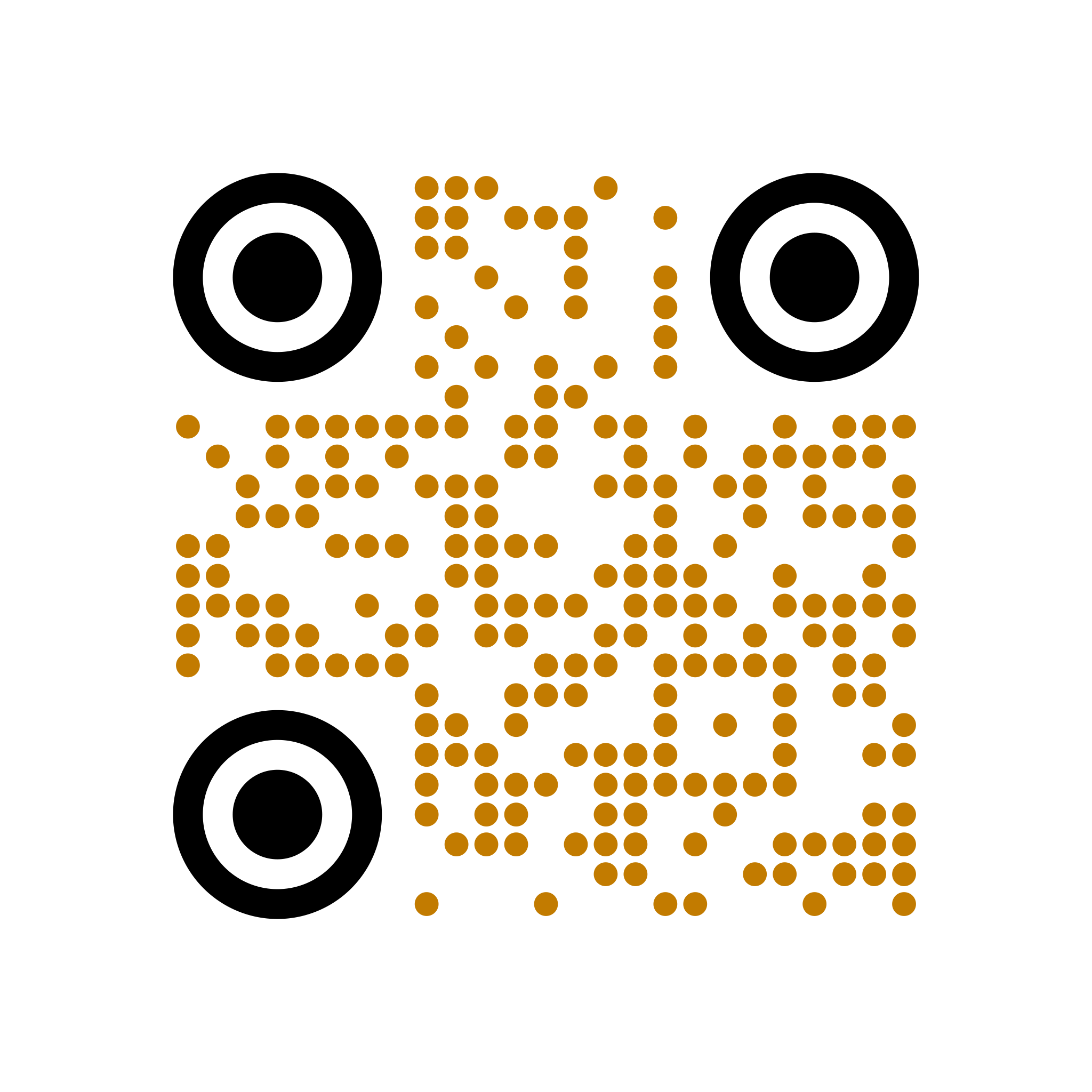
Create a QR code with rounded corners, and a gold dot data pattern.
Done — here's your QR code, ready to drop into the poster.
You're drafting copy, building a deck, or laying out a poster in an AI tool — then you stop, open a separate app, make a link or a QR code, copy it back, and try to remember where you were. Every interruption is a chance to drop tracking or ship the wrong URL.
With SnapGlyph MCP, your assistant creates the QR code or short link right where you're working. Just describe what you need. The link is real, tracked, and saved to your account the moment it's made.
Everything you'd do in the SnapGlyph app, now available to your AI assistant.
Built on the open Model Context Protocol. Connect Claude or any MCP-capable client and SnapGlyph becomes a tool it can use.
Generate dynamic QR codes with styling, expiry, and scan limits. Render them inline, then manage them in your dashboard like any other code.
Create short links on your custom domain, complete with click limits, expiry, and campaign tracking — straight from the conversation.
OAuth 2.1 means no API keys in your AI client. You authorize once in your browser, and the client receives a scoped token bound to the MCP server.
qr:readqr:createshortener:readqr:deleteEach action maps to a scope you approve, from read-only listing to creating and deleting. The client can only ever do what you allow.
utm_source=newsletterutm_source=randomYour organization's approved tracking parameters are enforced on everything the MCP tools create or update. No bypass, no inconsistent UTMs.
Three steps, then you're working in plain language.
In your AI client's connector settings, add a custom MCP server using https://snapglyph.com/api/mcp.
Sign in once in your browser and approve the permissions you want to grant. No API key to copy or store.
"Create a tracked QR code for this page." Your assistant calls SnapGlyph and hands you a real, working result.
Anyone who builds links as part of a bigger task.
Drafting a blog post or campaign brief in AI? Have the assistant generate a tracked link for each call-to-action as you write — no copy-paste, no lost UTMs.
Designing a poster or flyer with AI? Get a real, scannable QR code generated right in the flow, ready to place in your layout.
Wire SnapGlyph into your AI-assisted workflows so creating and updating links is one prompt away, with the same rules as the rest of your stack.
Let everyone create on-brand links and codes through their assistant, while approved tracking parameters keep reporting consistent across clients.
The SnapGlyph MCP Server is included with Pro, Growth, and Max plans.
billed annually ($7.50/mo if monthly)
billed annually ($60/mo if monthly)
billed annually ($150/mo if monthly)
14-day free trial on Pro. No credit card required. Cancel anytime.
It's a connector that lets an MCP-capable AI client, such as Claude, work with your SnapGlyph account directly. You can ask your assistant to create a tracked QR code, generate a branded short link, render a code, or look up your links — all in plain language without leaving the conversation.
Any client that supports the Model Context Protocol over HTTP with OAuth. Claude — claude.ai, the Claude desktop apps, and Claude Code — supports adding custom MCP connectors out of the box.
No. The MCP Server uses OAuth 2.1, so you authorize it by signing in to SnapGlyph in your browser. You never paste an API key or password into your AI client.
Pro, Growth, and Max. It uses the same programmatic-access gate as the SnapGlyph API, so Free and Starter accounts cannot connect.
No. Third-party MCP clients receive only basic profile information — name, email, and picture. Your subscription and organization details are never shared with them, and each connection is limited to the permissions you approve.
Yes. If your organization enforces approved UTM values, that governance applies to everything the MCP tools create or update, exactly as it does in the app and API. There is no bypass.
Want the technical details? Read the MCP Server setup guide.
Connect once and create tracked QR codes and branded short links without leaving the chat.
Start Your Free Trial14 days free. No credit card required.